Canon · Printers
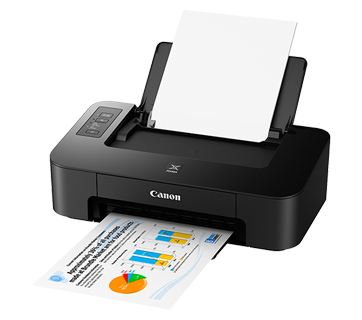
Canon Inkjet PIXMA TS207 Printer (Print, Speed 7.7ipm, 4800 x 1200dpi, Manual Duplex)
Buy Canon Inkjet PIXMA TS207 Printer (Print, Speed 7.7ipm, 4800 x 1200dpi, Manual Duplex), Canon from Printer Bullet - Everything for office. Fast & Free Home D...
Quote on request
✓ Available to order · supplied & installed in Malaysia
| Functions | |
| Resolution | 4800x1200 dpi |
| Technology | Inkjet |
Product details
SPECIFICATIONS
| Model | Canon PIXMA TS207 (3109C012AA) Inkjet Single Printer |
| Maximum Printing Resolution | 4800 (horizontal)*2 x 1200 (vertical) dpi |
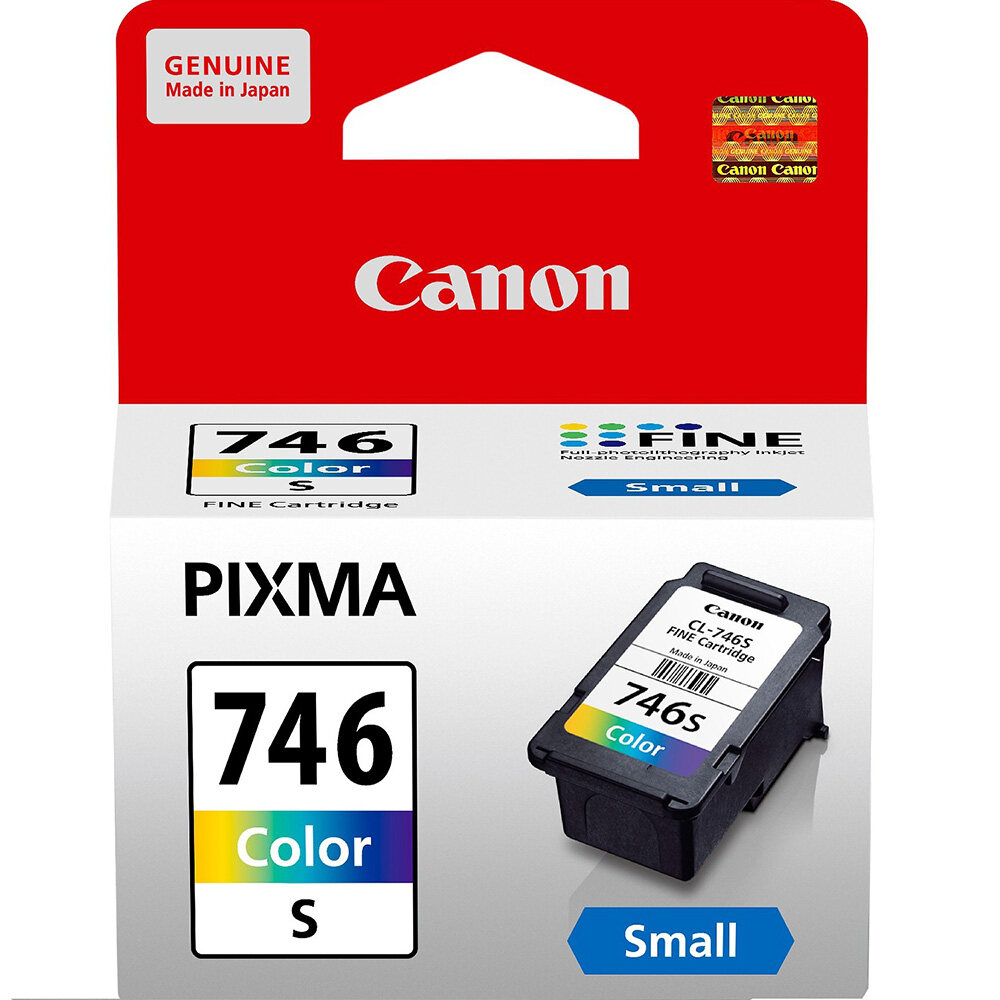
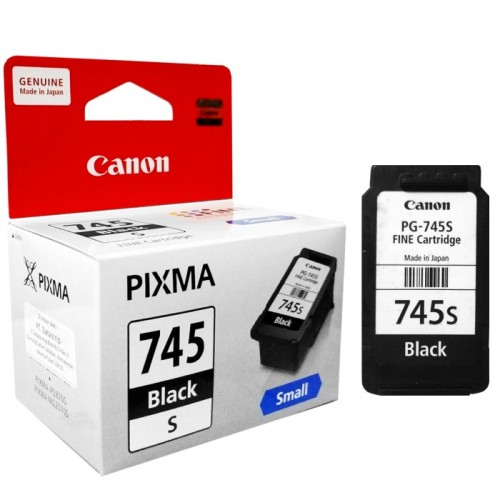
| Print Head / Ink | Type FINE Cartridge Number of Nozzles Total 1,280 nozzles Ink Cartridges PG-745S, CL-746S (Optional: PG-745, CL-746 / PG-745XL, CL-746XL) |
| Print Speed*1 Based on ISO / IEC 24734. Click here for summary report Click here for Document Print and Copy Speed | Document: Col ESAT / Simplex: Approx. 4.0ipm Document: B/W ESAT / Simplex: Approx. 7.7ipm Photo (4 x 6") PP-201 / Borderless: Approx. 65sec. |
| Printable Width | Up to 203.2mm (8 inch) |
| Printable Area | Borderless Printing*3 Top / Bottom / Right / Left margin: each 0mm (Supported Paper Size: 4 x 6") Bordered Printing Top margin: 3mm, Bottom margin: 5mm, Left / Right margin: each 3.4mm (LTR: Left: 6.4mm, Right: 6.3mm) |
| Recommended Printing Area | Top margin: 31.6mm / Bottom margin: 29.2mm |
| Paper Size | A4, LTR, 4 x 6", 5 x 7", Custom size (width 89 - 215.9mm, length 127 - 676mm) |
| Paper Handling (Cassette 1: Upper) (Maximum Number) | Plain Paper A4, LTR = 60 Photo Paper Plus Glossy II (PP-201) 4 x 6" = 20 Glossy Photo Paper "Everyday Use" (GP-508) 4 x 6" = 20 Photo Paper Plus Glossy II (PP-208) 4 x 6" = 20 Photo Sticker (Free cutting) (PS-208) 4 x 6" = 1 Photo Sticker (Free cutting, Removable) (PS-308R) 4 x 6" = 1 Rear Tray Plain Paper: 64 - 105g/m², Canon specialty paper: max paper weight: approx. 275g/m²(Photo Paper Plus Glossy II (PP-201)) |
| Ink End Sensor | Dot count |
| Print Head Alignment | Manual |
| System Requirements (Please visit www.canon-asia.com to check OS compatibility and to download the latest driver updates.) | Windows: Windows 10, Windows 8.1, Windows 7 SP1 Macintosh: Mac OS X v10.10.5 ~ v10.11, Mac OS v10.12* * via AirPrint |
| Interface | USB 2.0 Hi-Speed |
| Operating Environment *4 | Temperature: 5 - 35°C Humidity: 10 - 90% RH (no dew condensation)) |
| Recommended Environment*5 | Temperature: 15 -30°C Humidity: 10 - 80% RH (no dew condensation) |
| Storage Environment | Temperature: 0 - 40°C Humidity: 5 - 95% RH(no dew condensation) |
| Quiet mode | Available |
| Acoustic Noise (PC Print) | Photo (4 x 6")*6 Approx. 46.0dB(A) |
| Power | AC 100 - 240V, 50 / 60Hz |
| Power Consumption | OFF Approx. 0.2W Standby (scanning lamp is off) (USB Connection to PC) Approx. 1.2W Standby (all ports connected, scanning lamp is off) Approx. 0.9W Printing*7 Approx. 10W |
| Environment | Regulation RoHS (EU, China), WEEE (EU) |
| Dimension (W x D x H) | Factory configuration 426 x 255 x 131mm Output / ADF trays extended 426 x 562 x 213mm |
| Weight | 2.5kg |
| * Prices, Features, Package Content and Specifications are subject to change without prior notification.* | |
- 3 years On-site Canon Warranty
Supplied & supported by RYZEN ESOLUTIONS (M) SDN BHD
- Delivery & professional installation
- Configuration & migration
- Manufacturer warranty handling
- Annual maintenance & managed services (MSP)
Need help choosing?
Talk to the engineers who install this equipment — free sizing advice, no obligation.
Specifications
| Printing & Imaging Specs | |
|---|---|
| Functions | |
| Resolution | 4800x1200 dpi |
| Technology | Inkjet |
Your research
You recently viewed
Frequently asked questions
How much does the Canon Inkjet PIXMA TS207 Printer (Print, Speed 7.7ipm, 4800 x 1200dpi, Manual Duplex) cost?
This product is quoted per project. Send us your requirements and we will prepare a quotation.
Is this product available in Malaysia?
Yes — available to order. Supplied and installed nationwide by RYZEN ESOLUTIONS (M) SDN BHD.
Who manufactures the Canon Inkjet PIXMA TS207 Printer (Print, Speed 7.7ipm, 4800 x 1200dpi, Manual Duplex)?
It is manufactured by Canon. We supply genuine units with manufacturer warranty.
Do you provide installation and support?
Yes — we design, install, configure and support this product as part of a complete solution. Ask us about maintenance packages.